Your Desktop AI Image Studio
Purpose-built software for AI creators: deep metadata filters, tags and favorites, side-by-side comparison, collection analytics, and a direct bridge to your local Automatic1111.
Compatible Generators
A1111, InvokeAI, SwarmUI, Fooocus, Forge, SDNext, Midjourney, Nijijourney, DrawThings and more - with growing support for ComfyUI workflows.
Key Features
Deep Metadata Search
Search across prompts, negative prompts, models, LoRAs, samplers, seeds and other generation parameters stored in PNG/JPG metadata.
Tags & Favorites
Add custom tags, star your best images and filter by any combination of tags or favorites across folders.
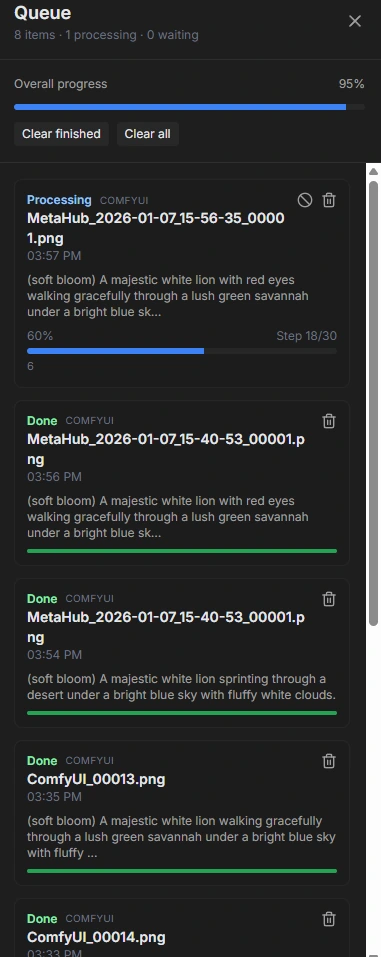
Automatic1111 Integration
Connect your local Automatic1111 instance and generate new variations directly from any image in your library.
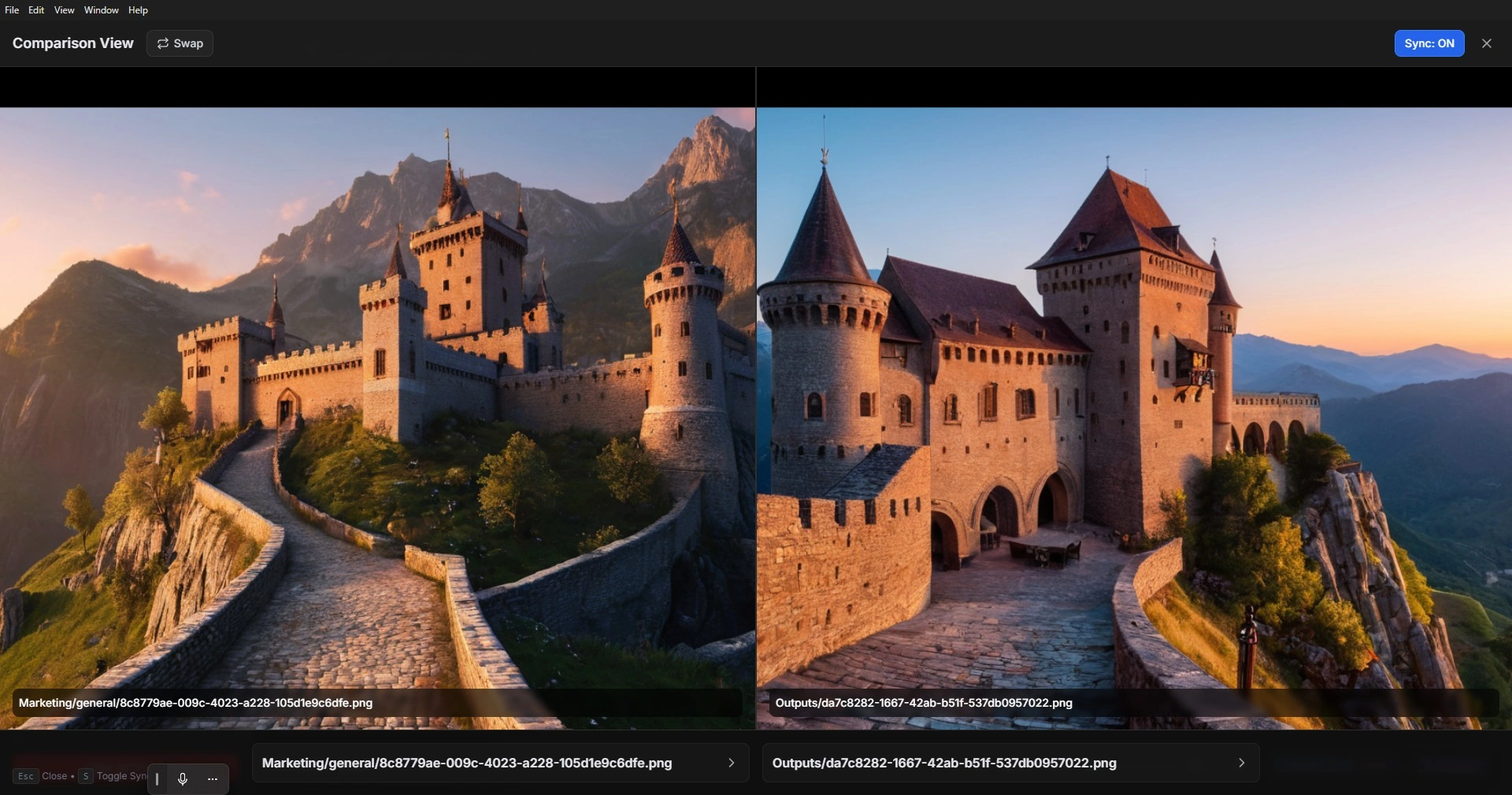
Side-by-Side Comparison
Compare two images with synchronized zoom and pan, shared metadata panels and keyboard shortcuts for power users.
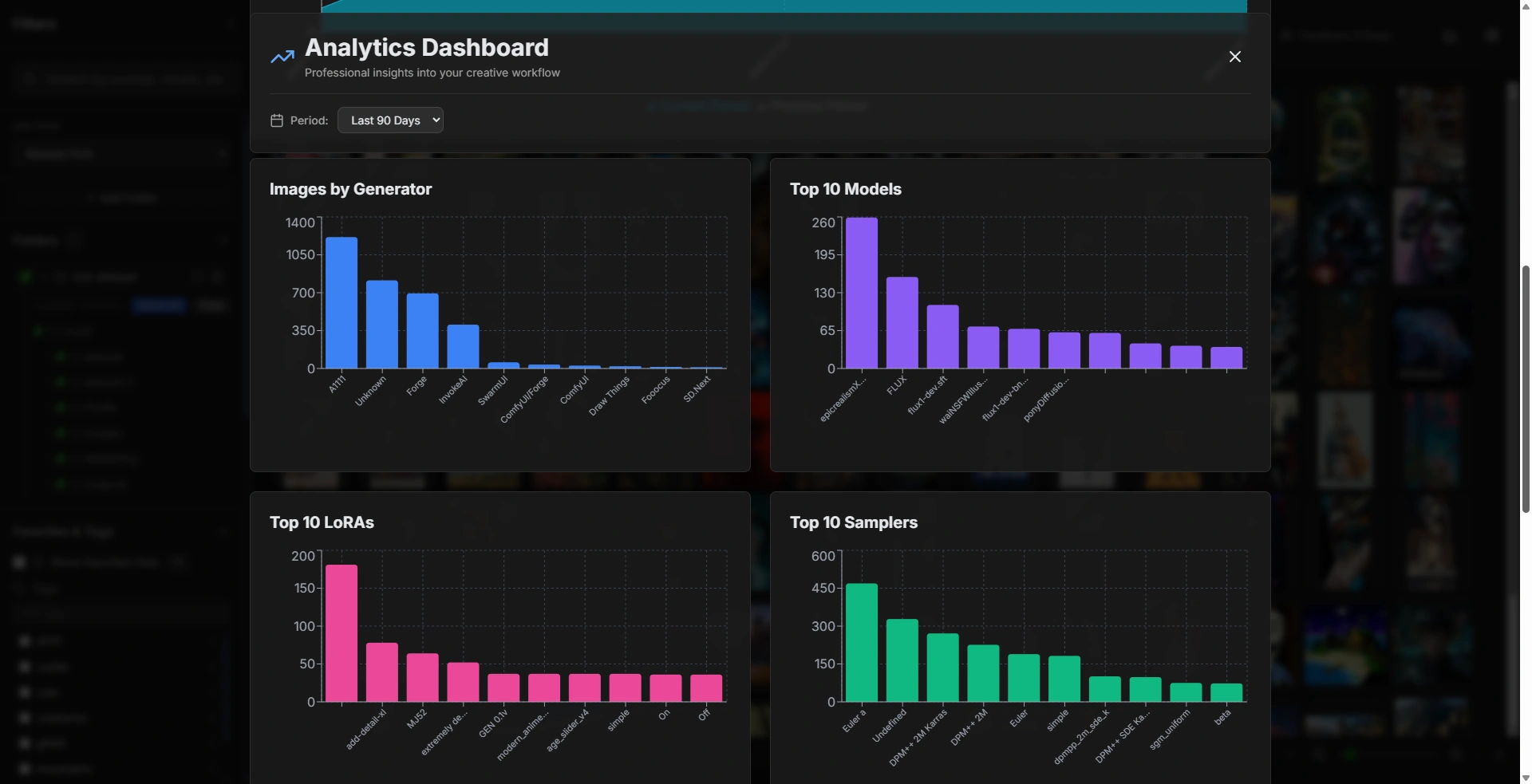
Collection Analytics
Dashboards for generators, models, LoRAs, samplers and resolutions so you can see how you actually create images over time.
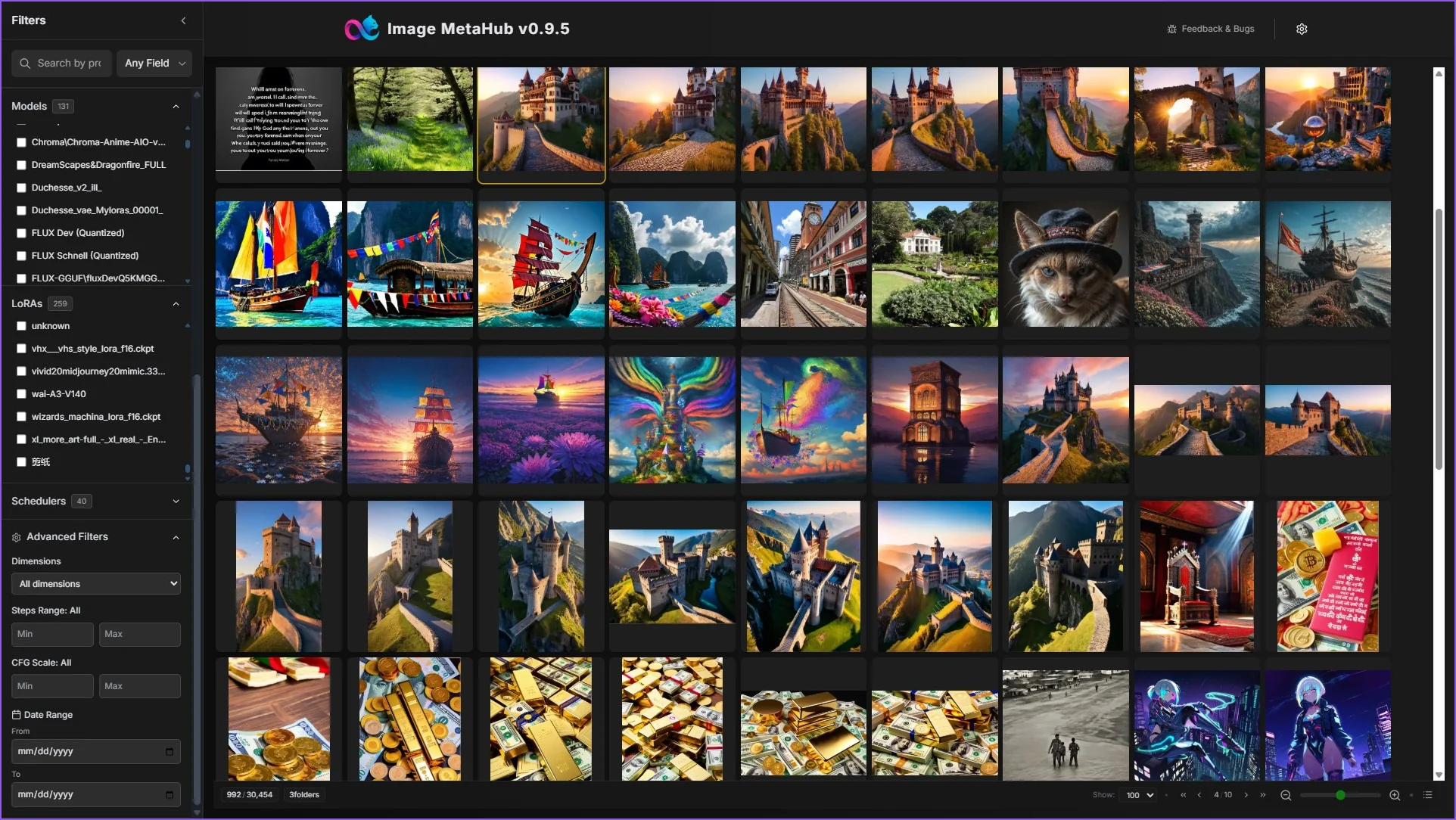
Powerful Filters
Filter by model, LoRA, scheduler, dimensions, steps, CFG scale, date and more.
High-Volume Performance
Designed to handle tens of thousands of images with incremental indexing and fast cached thumbnails.
Folder-Based Workflow
Point Image MetaHub to your existing output folders – no imports or uploads, your files stay where they are.
Local Cache & Persistence
IndexedDB-based cache keeps metadata and filters local, so collections load instantly between sessions.
Screenshots & Interface
Browse, tag and favorite at scale
Main library view with folders, filters, tags, favorites and collapsable image preview.
Focused image details
Open any image in a focused view with full prompts, model metadata, tags and quick actions like copy and compare.
Generate variations with Automatic1111
Send the current image to your local Automatic1111 instance and tweak prompts, steps, CFG and seed from a dedicated modal.
Side-by-side comparison
Compare two images with synchronized zoom and shared metadata to inspect tiny differences between checkpoints, upscalers or prompts.
Collection analytics
Dashboard with charts for generators, models, LoRAs and samplers so you can see which tools you actually use most.
High-density gallery view
Browse thousands of images at once in a compact grid with tags, favorites, paging and zoom controls optimized for large local folders.
Technology Stack
Frontend
- React 18 + TypeScript
- Modern UI components
Desktop
- Electron framework
- Auto-updater built-in
Storage
- IndexedDB for caching
- Local processing only
File Access
- File System API
- Node.js integration
Metadata
- InvokeAI, A1111, ComfyUI
- Custom parsers per format
Platforms
- Windows, macOS, Linux
- Cross-platform compatible
Privacy First
This application operates completely offline. All processing happens locally on your machine.
No tracking or data collection
All data stays on your device
No internet needed after installation
No registration or login required
Download
Choose the version for your operating system
Quick Start
1. Download and install the application
2. Click "Change Folder" and select your images directory
3. Wait for initial indexing (may take a few minutes)
4. Use the sidebar to search and filter your images