
Civitai
Follow model releases
Identify a local model by hash or confirm a manual version link. Check for new releases, review their details, and keep track of what you have viewed or ignored.
Build a visual catalog of your models. Find the images connected to them, keep useful details at hand and follow updates from Civitai and Hugging Face.
Try Model Manager before buying. Download the app and activate the Pro trial in-app if eligible.
Available in v0.21.0. Included in every Pro plan. Windows, macOS and Linux.
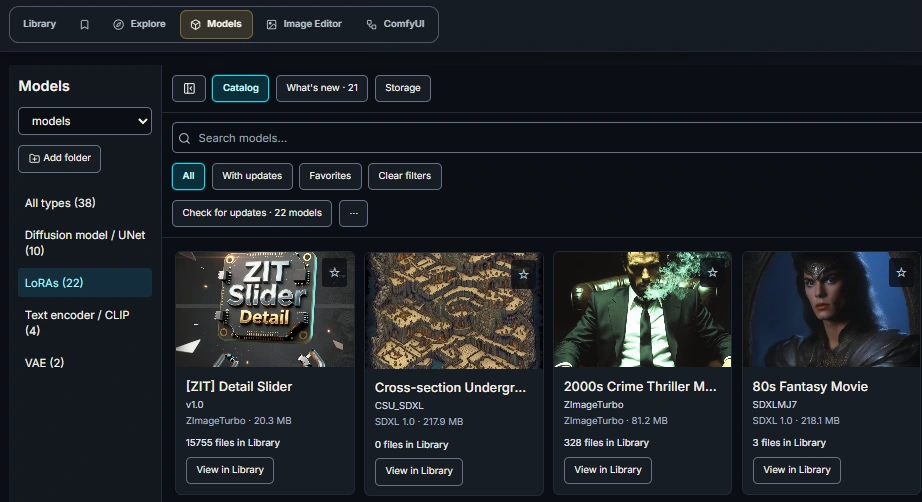
Add your model folders and browse covers instead of a wall of filenames. Filter by category, keep favorites close, and add tags, notes and custom metadata that make sense to you.
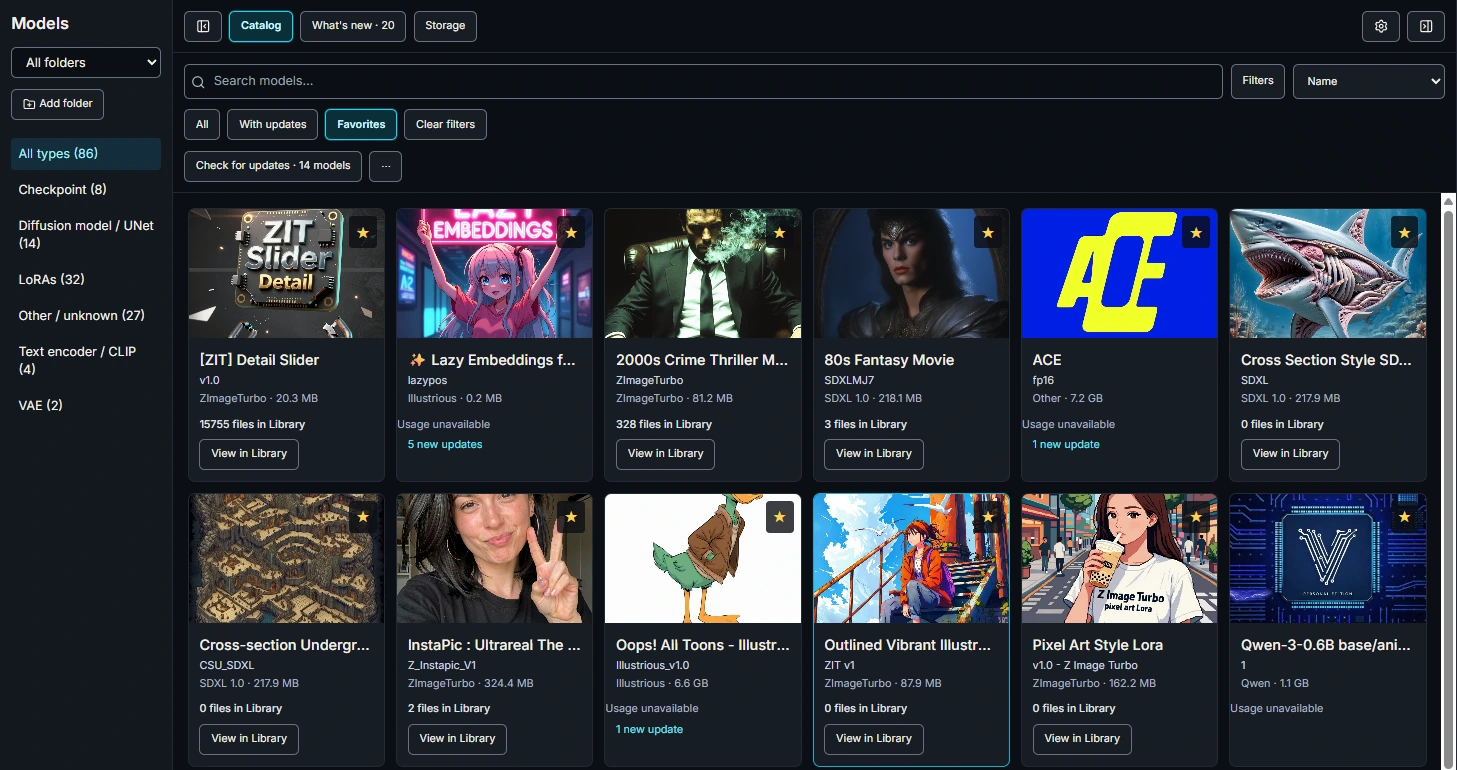
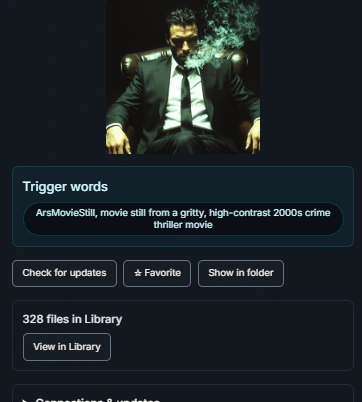
Library usage counts and View in Library help you move from a local model to its associated outputs. Copy a LoRA’s trigger words when you need them, without leaving the catalog.
Associations depend on the indexed Library and the model references available in generation metadata. A missing match does not prove a model has never been used.
Identify models through Civitai or link them to public Hugging Face files. Review new releases and file changes in the same workspace, with links back to the source.
Identify a local model by hash or confirm a manual version link. Check for new releases, review their details, and keep track of what you have viewed or ignored.
Link a public repository file and optionally verify its SHA-256 match. Monitor changes, new model files in your watched scope or a linked file becoming unavailable.
Automatic monitoring is optional and runs while the app is open. A manual link stays distinct from a verified file match. Checks do not download or replace your models.
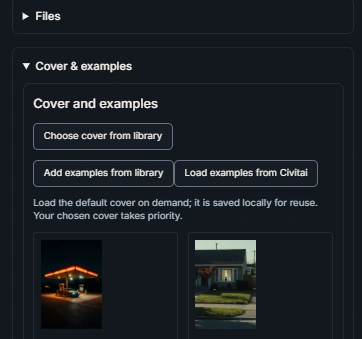
Choose a cover from your Library and attach example images for a useful visual reference. Load Civitai examples on demand, or open a model in a detachable Inspector while browsing the catalog.
Your chosen cover, notes and examples stay with your local model collection.
Inspect model sizes and file locations, verify duplicate candidates and select the copies you want to remove. Review exact paths and remaining copies before confirming removal.
Confirm identical files with hashing instead of treating equal filenames or sizes as proof.
File removal is explicit and confirmed. Library usage helps your decision; it is not an automatic cleanup rule.
Model Manager requires Pro or an active Pro trial. Monthly, Annual and Lifetime plans include the same Model Manager features.
Download the desktop app and activate the Pro trial in the app if you are eligible. Trial access includes Model Manager. The optional three-day extension is available only to eligible users whose original trial has expired.
The catalog, notes, covers and Library associations are managed locally. Optional Civitai identification and Hugging Face lookups request remote metadata. You can browse your local catalog without enabling automatic monitoring.
No. It surfaces releases and file changes for review, with links to their source. It does not download or replace models automatically.
No. Model Manager organizes AI generation models such as LoRAs and checkpoints. The media Library separately supports generated 3D assets such as GLB, GLTF, OBJ, FBX and STL.
Model Manager is included in every Image MetaHub Pro plan. $4.99 monthly · $19.99 annual · $39 lifetime.