Local-first generative media library

Image MetaHub

The searchable library for serious genmedia work.

Find prompts, models, LoRAs, workflows, metadata, images, videos and audio across huge local folders — without uploading your library to the cloud.

Free version available. Pro features for daily users, artists, dataset curators, model testers and production workflows.

Image MetaHub logo
Image MetaHub — 47,951 assets indexed LibrarySmart LibraryModel View
Built for people drowning in generative outputs: ComfyUI users, AI artists, LoRA testers, dataset curators, video/image workflows, and studios.
Local-firstYour files stay on your machine
Metadata-awareComfyUI, A1111, InvokeAI, Forge and more
Images + video + audioBrowse mixed genmedia libraries
Pro availableFor people using it every day

What does Image MetaHub do?

It is not a cloud gallery. It is a desktop tool for making large local generative media libraries usable. Search, inspect, compare, tag, rate, collect and reuse the work you already generated.

Search

Find anything you generated

Search by prompt, filename, folder, checkpoint, LoRA, seed, sampler, scheduler, dimensions, tags, ratings, media type and more.

Inspect

Recover the context

Open a file and see the generation metadata behind it: prompts, resources, model names, workflow data, notes and telemetry when available.

Compare

Review variations faster

Compare outputs side by side, inspect metadata differences, sort by generation parameters and decide which results are worth keeping.

Organize

Curate huge folders

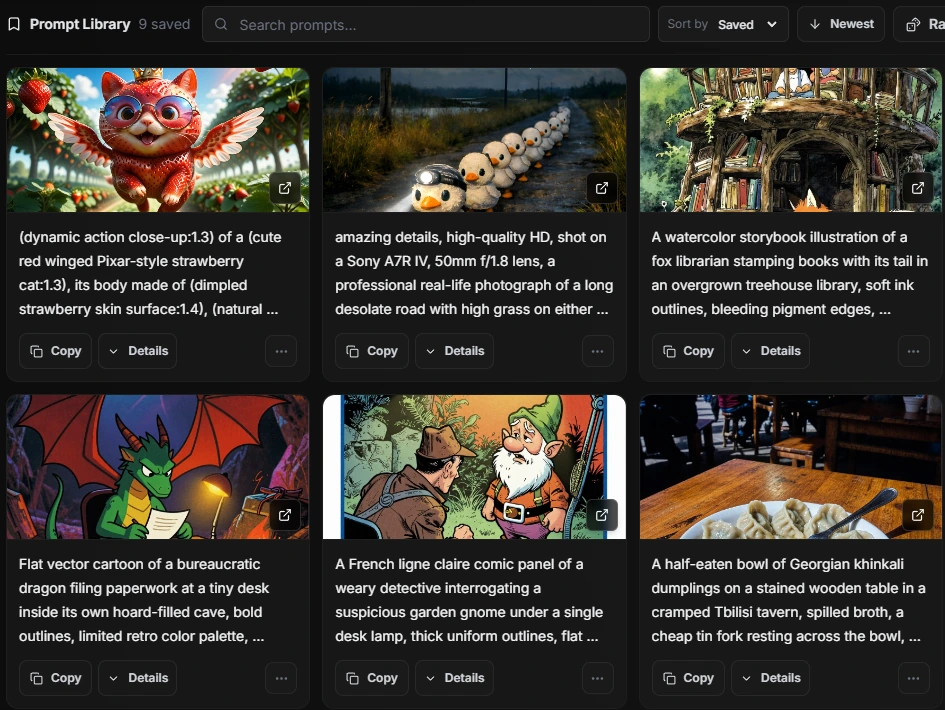
Use collections, tags, favorites, ratings, stacks, filters and automation rules to turn messy output folders into a usable archive.

ComfyUI

Workspace beside your library

Use the embedded ComfyUI Workspace with image context, workflow tabs, thumbnails, copy/generate actions and direct viewer entry points.

Private

No mandatory cloud

Index and search locally. Your image library, videos, audio files, tags, cache and embedded metadata stay under your control.

Made for people who generate too much to remember.

If your outputs become chaos after a few sessions, Image MetaHub gives the work a permanent memory: metadata, prompts, workflows, models, LoRAs, notes, tags, ratings and visual comparisons in one place.

“I can't recommend this highly enough. I've been using it for the last month or so and it's extremely helpful and well thought out. I'm a cheap bastard but it was worth it to me for something I use daily.” — Image MetaHub Pro user
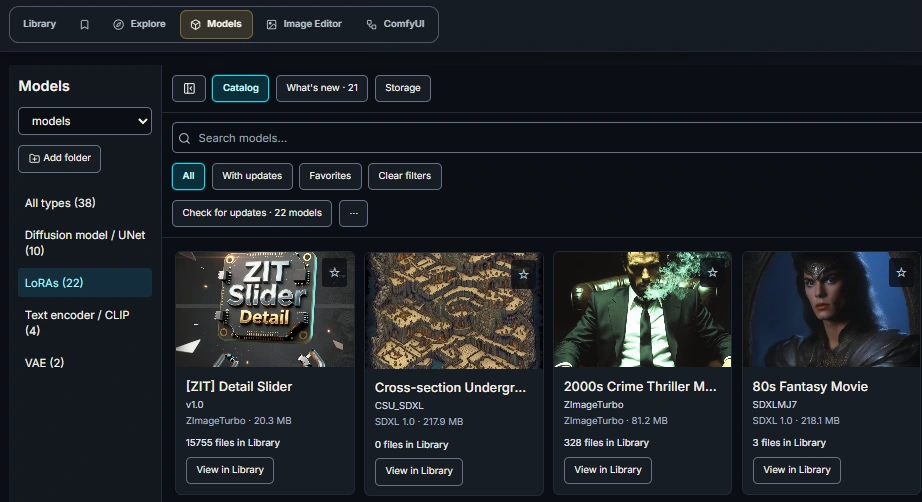
Library view
Image MetaHub library view showing search, filters, folders, checkpoints, LoRAs, and a thumbnail grid.

Generator and metadata support

Image MetaHub reads metadata from major Stable Diffusion and generative media ecosystems, including ComfyUI workflows and common image/video/audio formats.

Generators

ComfyUI, A1111, InvokeAI and more

Supports metadata from Automatic1111, ComfyUI, InvokeAI, SD.Next, Forge, Fooocus, SwarmUI, Draw Things, Midjourney/Niji, Firefly, DreamStudio, DALL-E and compatible embedded payloads.

ComfyUI Save Node

Best experience with rich outputs

The companion Save Node can preserve full workflow and prompt payloads, tags, notes, GPU/timing analytics, verified telemetry and explicit lineage metadata.

Images

PNG, JPG, JPEG, WEBP and GIF libraries with embedded metadata and sidecar-aware parsing.

Video

MP4, WEBM, MKV, MOV and AVI indexing, thumbnails and metadata where available.

Audio

MP3, WAV, FLAC, OGG, M4A, AAC, OPUS, AIFF, WMA and related media library support.

Image details
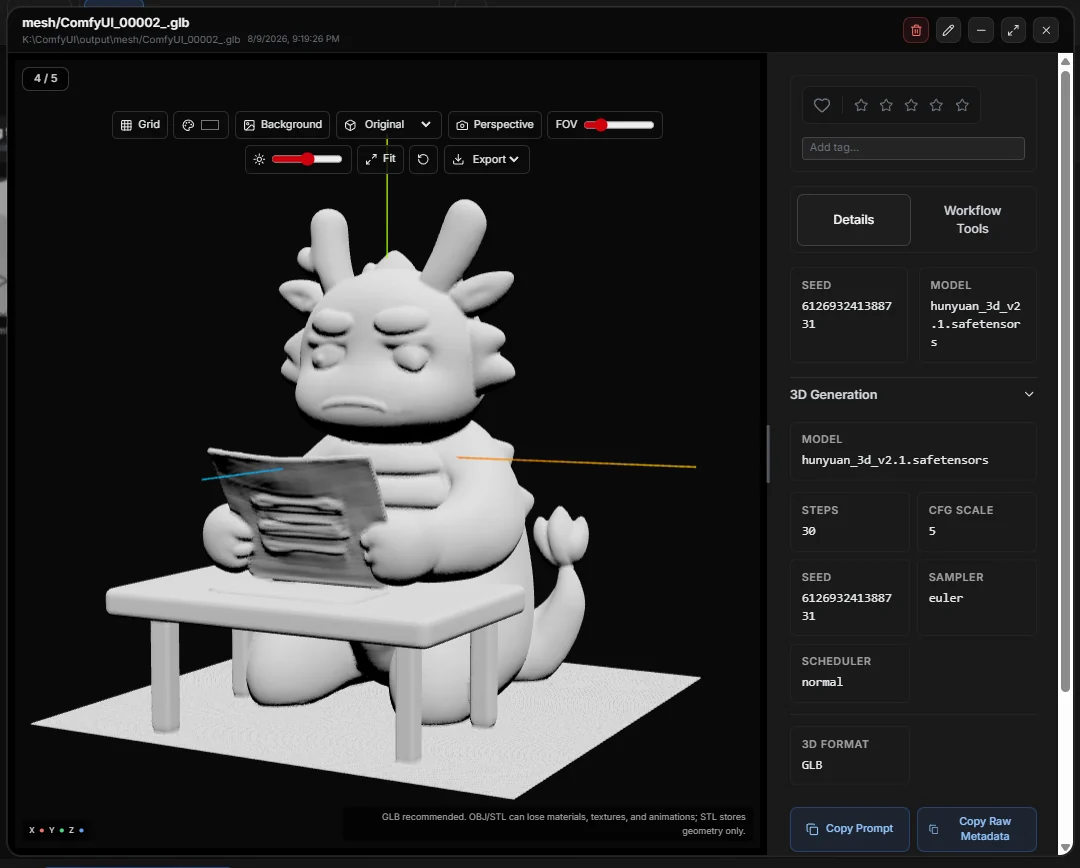
Image MetaHub image details modal showing a preview, prompt fields, metadata, model information, and generation details.

Open a file. Understand how it was made.

Inspect normalized generation fields, original metadata, ComfyUI workflow information, source/derived image lineage, shadow metadata edits, tags, ratings and notes without modifying the original file.

Lineage

Trace transformations

Detect img2img, inpaint and outpaint workflows, including source-image recovery when possible.

Adjust

Edit visual tone safely

Adjust brightness, contrast, saturation and hue, then save PNG outputs while preserving generation metadata on desktop.

Free to start. Pro when it becomes part of your workflow.

The free version is useful on its own. Pro is for artists, researchers, dataset curators and production users who need the deeper workflow tools.

Free

For starting a searchable local genmedia library.

  • Local indexing, metadata parsing and search
  • Sidebar facets, tags, favorites and safe mode
  • Auto-watch generation folders
  • Image lineage display and multi-window viewer
  • Smart Library auto-tags and clustering with free-tier limits

Pro

For people who use Image MetaHub as a daily work tool.

  • Automatic1111 and ComfyUI generation workflows
  • Embedded ComfyUI Workspace and progress tracking
  • Compare View with 2–4 image layouts and metadata diff
  • Analytics Explorer and verified telemetry workflows
  • Image adjustments with metadata-preserving PNG saves
  • Optional external ComfyUI queue monitoring
  • Batch export, bulk tagging and file management
  • Unlimited clustering scale

Download Image MetaHub

Stop digging through folders. Make your generated work searchable.